
Browse while
the music plays.
SNR grew out of our frustration with listening to music in the Plex app on Apple TV. We thought we could do better, and we think we have.
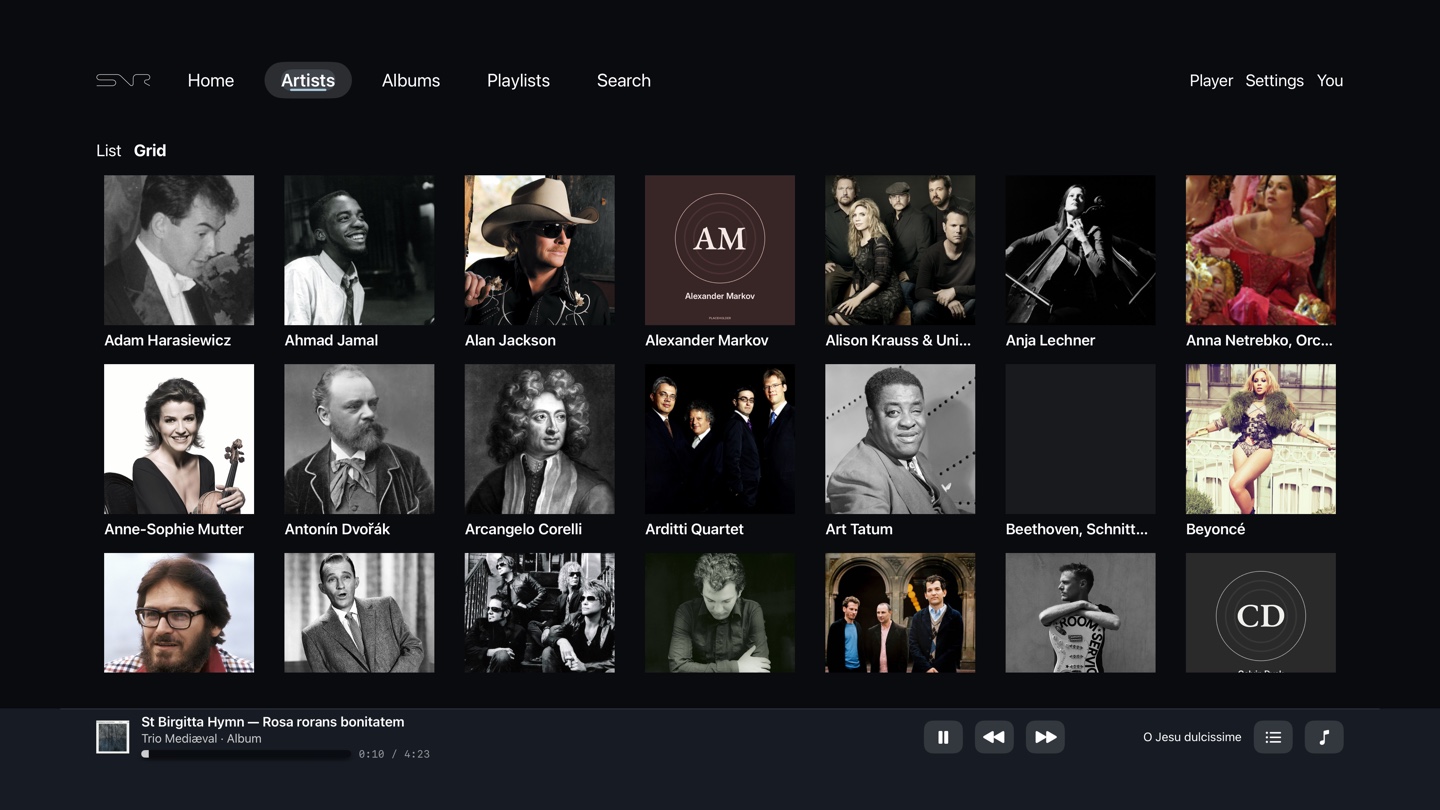
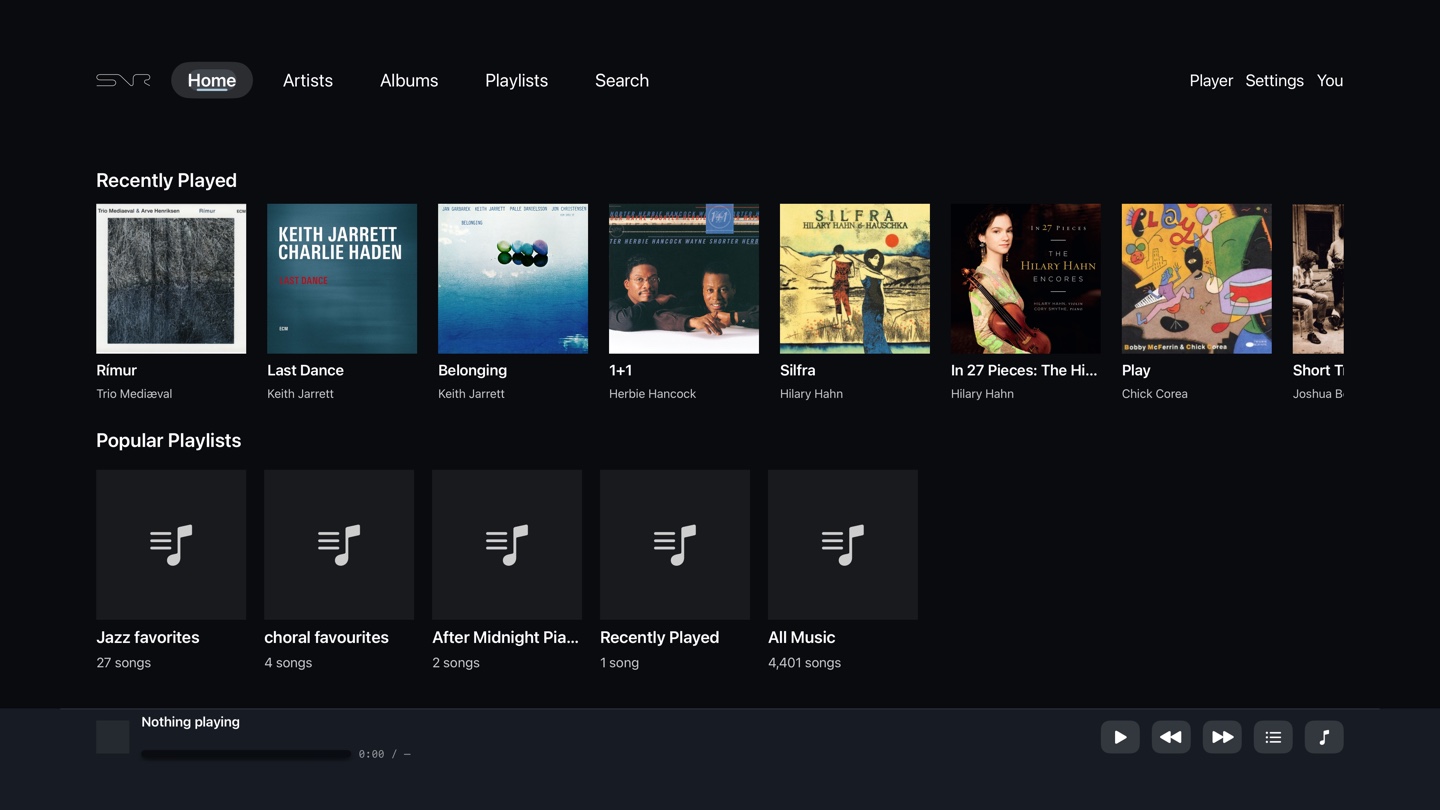
Find something to play.
- Albums and artists
- Browse your collection or open an artist’s discography.
- Search
- Find an album, artist, or track by name.
- Plex playlists
- Play the playlists you already have on your server.
Make the queue yours.
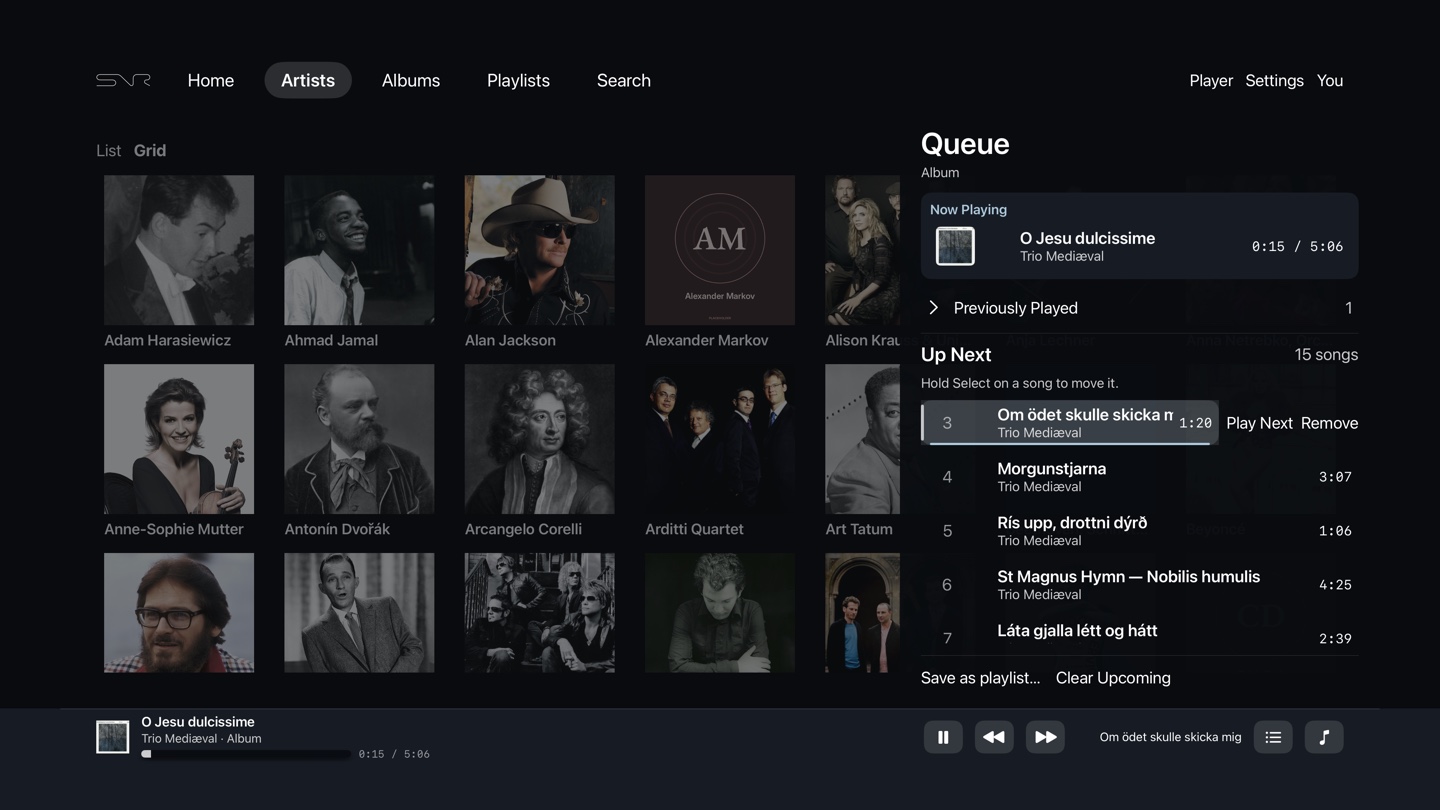
- Play next or add to the queue
- Put a track on next or add it to the end of what’s lined up.
- Album order, shuffle, and repeat
- Play an album in track order, shuffle a selection, or repeat a track.
- Reorder or restore a queue
- Move upcoming tracks or bring back your previous queue from the player.
- Save a queue as a playlist
- Keep a queue you like as a new Plex playlist.
Play your favourites by genre.
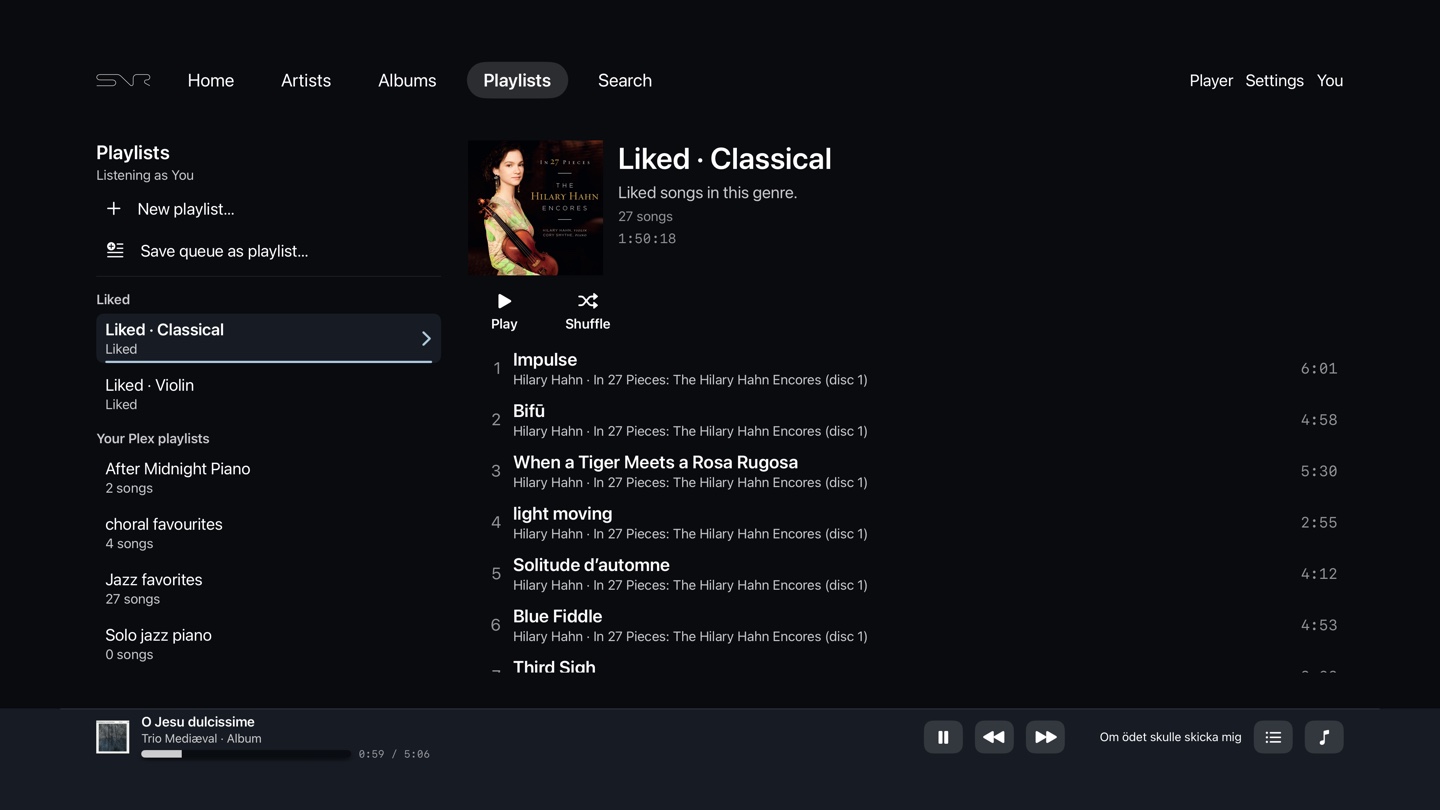
- Automatic playlists by genre
- SNR builds genre playlists from your liked tracks and albums.
- Export to Plex
- Copy your SNR favourites to a new Plex playlist.
- Optional iCloud backup
- When enabled and available, iCloud backs up your SNR likes and saved queues.
Connect your Plex library.
Pair with a short code, then choose your server and music library. Requires Apple TV with tvOS 18 or later.
See setup steps